How to Help an Older Relative Stay Safe from Phone Scams
7 September 2026· Assistive Technology
How to Help an Older Relative Stay Safe from Phone Scams
If a caller asks for money, a PIN, a password, or says “act now”, I treat it as a scam until I check it myself. That one rule can stop a lot of harm.
In the UK, fraud made up around 40% of all crime in England and Wales in recent years, and phone scams often target older people with fake bank calls, HMRC threats, police stories, NHS messages, and “family emergency” texts. To lower the risk, I focus on four simple steps:
Spot the warning signs
Hang up and call back on a trusted number
Set one family rule for money and personal details
Use a simpler phone setup so fewer mistakes happen
If my parent finds smartphones stressful, a simpler Android setup like Ezefone can help by putting the main things they use on one clear screen and backing up family safety habits with tools like a family code word, Call for Help, and daily check-ins.
What matters most is not learning lots of scam types. It is having a short plan that is easy to remember when someone feels under pressure.
Is it a scam call?
sbb-itb-e740053
The short version
When I help an older relative stay safer from phone scams, I keep it plain:
Never share bank details, passwords, or one-time codes on a call
Never send money because a caller says it is urgent
Always hang up and ring back using a number already saved or printed on a bank card
Always check with one named family member before doing anything with money
Report scam texts to 7726 in the UK
If they have already replied, call the bank first, then report it and change passwords
I also make the phone less confusing. That does not replace family support, but it can cut down wrong taps, panic, and missed calls from people they know.
What I want my relative to remember
I do not try to teach a long list. I give them one short script:
“I don’t share personal details on calls. I’ll ring back on a number I trust.”
And one backup line:
“No, thank you. I’ll check and call back.”
That is often enough.
Family habits matter more than long advice
Scammers work fast. So I keep the family plan short and repeat it often.
I stick to these rules:
No money is sent until a named family member checks first
No personal details are shared on unexpected calls or messages
Any “emergency” story must include the family code word
Suspicious calls get written down with the time and number
A short weekly check-in helps too. Even 5 to 10 minutes can be enough to go over missed calls, strange texts, or anything that felt off.
If something has already gone wrong
If my relative has shared details or sent money, I stay calm and say: “This is not your fault.”
Then I act in this order:
Call the bank using the number on the card or statement
That first step matters most, because delay can give scammers more time.
Make any Android phone easier and safer with Ezefone
Ezefone turns any Android phone into an easy, safe senior phone in less than 5 minutes. It helps families get more peace of mind while helping older loved ones stay confident and in control.
Ezefone is a one-time purchase. Start free, or choose Standard at £7.99 or Family at £34.99. No monthly subscriptions, no hidden fees, and easy family setup.
No monthly subscriptions, no hidden fees, and easy family setup.
1. Know the main phone scams targeting older people in the UK
Older people are often singled out because scammers know how to sound official. They copy familiar UK organisations, use pressure, and try to make the call feel urgent. Knowing the main scam types is the first step in helping a parent or relative spot them before any harm is done.
Ezefone can help here by making the phone simpler and less stressful to use, which gives families a calmer way to talk through scam risks and safe habits.
Some of the most common scams involve callers pretending to be from a bank, HMRC, the police, or the NHS. They may warn about suspicious payments, demand a tax payment straight away, say they are a police officer dealing with fraud, or claim to be NHS staff with an urgent health matter.
What often makes these calls sound believable is caller ID spoofing. The scammer can fake a UK number, sometimes even one linked to a real bank or public service. That same pressure can show up in messages and other forms of contact too.
Fake tech-support and family emergency scams
Fake tech-support scams often start with a caller saying a phone or computer has a virus. They then try to push the person into installing software or handing over access to the device.
Texts and WhatsApp messages use a similar trick. A scammer may pretend to be a grandchild or other family member who suddenly needs money. The goal is always the same: get money, personal details, or access to the device before the person has time to stop and check.
Once a person knows these patterns, it becomes much easier to teach the warning signs and give them a simple, calm response to use.
2. Teach the warning signs and a simple script for suspicious calls
When a scam call comes in, there usually isn’t much time to think. That’s why it helps to give your relative one plain rule they can use in the moment: don’t get drawn into a chat. The goal is to end the call fast and check things later.
Warning signs to remember
Most scam calls follow the same pattern. Talk through these signs slowly, in a calm moment, so they’re easier to spot when the phone rings:
Requests for a PIN, password, or security code
Pressure to act immediately
Demands to move money, especially by bank transfer
They will not let them ring back on a trusted number
Unexpected texts or WhatsApp messages with links or attachments
A simple script they can use every time
If any of those warning signs show up, keep the response short. The main rule is simple: stop, hang up, and ring back on a trusted number. Say it together a few times first. That small bit of practice can help a lot when someone feels flustered.
Give your relative two short phrases they can use without having to think too much:
"I don't share personal details on calls. I'll ring back on a number I trust."
"No, thank you. I'll check and call back."
3. Set up the phone to block or cut down scam calls and messages
Once your parent or older relative knows the warning signs, the next step is simple: let the phone do some of the work too. A few small changes can make fake bank texts, tech-support calls, and suspicious WhatsApp messages much easier to spot and ignore.
When everyone in the family sticks to the same simple rules, it’s much easier to avoid panic, pressure, and costly mistakes.
Use built-in phone settings and save trusted contacts
Start with the basics. Save trusted numbers with clear names such as “GP surgery” or “bank”, then add the most used ones to favourites.
That does two things. It makes safe calls easier to recognise, and it helps unknown numbers stand out straight away.
Use UK reporting and call-screening tools
Use your phone’s built-in block and report options for spam calls and scam texts. For suspicious text messages in the UK, send them to 7726.
Scam messages often try to rush people into tapping a link or opening an attachment. That’s usually where the trouble starts, because those links can steal logins or private details.
Keep the phone simple with Ezefone
Ezefone helps make an older relative’s phone feel like a phone again, not a maze of menus. It gives them one simple screen with four large buttons: Calls, Messages, WhatsApp, and Contacts.
That matters because safety advice is easier to follow when the phone itself is calm and simple. Instead of digging through settings, your parent sees what they need right in front of them.
These phone controls work best when the whole family follows the same rules.
4. Build family habits that make scams less likely to work
Once everyone knows the warning signs, the next step is to turn them into simple family habits. Phone settings can help, but day-to-day routines matter just as much. A few clear rules, used every time, can stop a scam before it gets anywhere.
Agree a no-money rule, check-in plan and call log
Set one clear rule: no money, bank details, or personal details are shared until one named relative has checked first. That takes pressure off the older person in the moment and gives the family one plain process to follow.
It also helps to keep a short written call log near the phone. Write down the date, time, caller number, and a brief note about what was said. If the same person keeps calling, or the story changes, that pattern is much easier to spot. Go over the log during a weekly check-in.
Use a family code word for emergencies
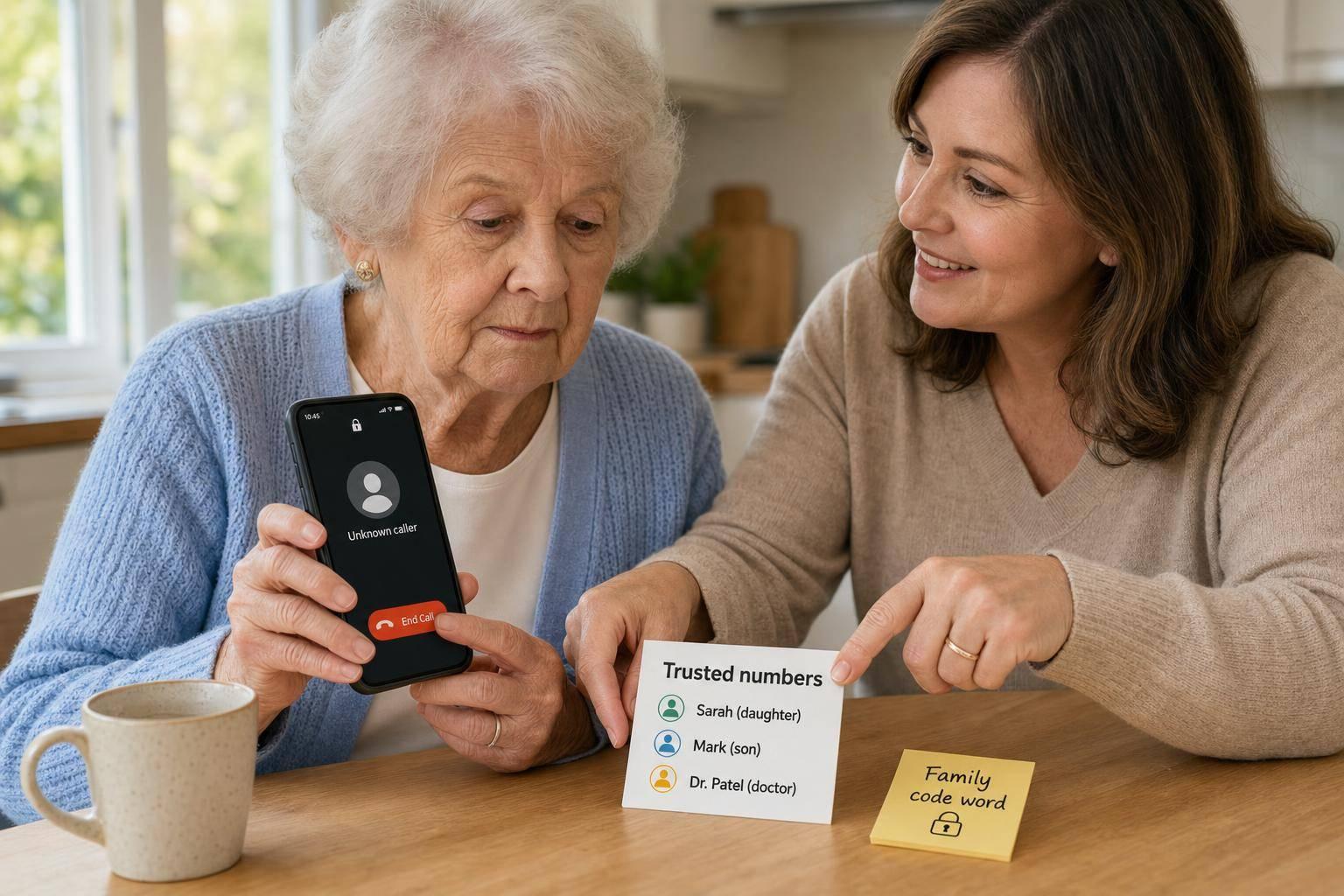
Choose one private code word for real emergencies. If someone calls claiming there has been an accident or some urgent problem, your relative can ask for the code word before doing anything else.
Keep that word private. Share it only face to face or through a known safe call, not by text or through a message passed on by someone else.
Use Ezefone safety features to back up the plan
This is where Ezefone can help make the routine easier to stick to. It supports the same family checks on the phone itself, without making things harder for the person using it.
Ezefone includes a Call for Help feature, a family code word safety feature, and daily check-in emails. Those tools back up the plan and help families stay on the same page.
If a scam has already got through, act fast - the next section covers the first hour, first day and first week.
5. What to do if they have already responded to a scam
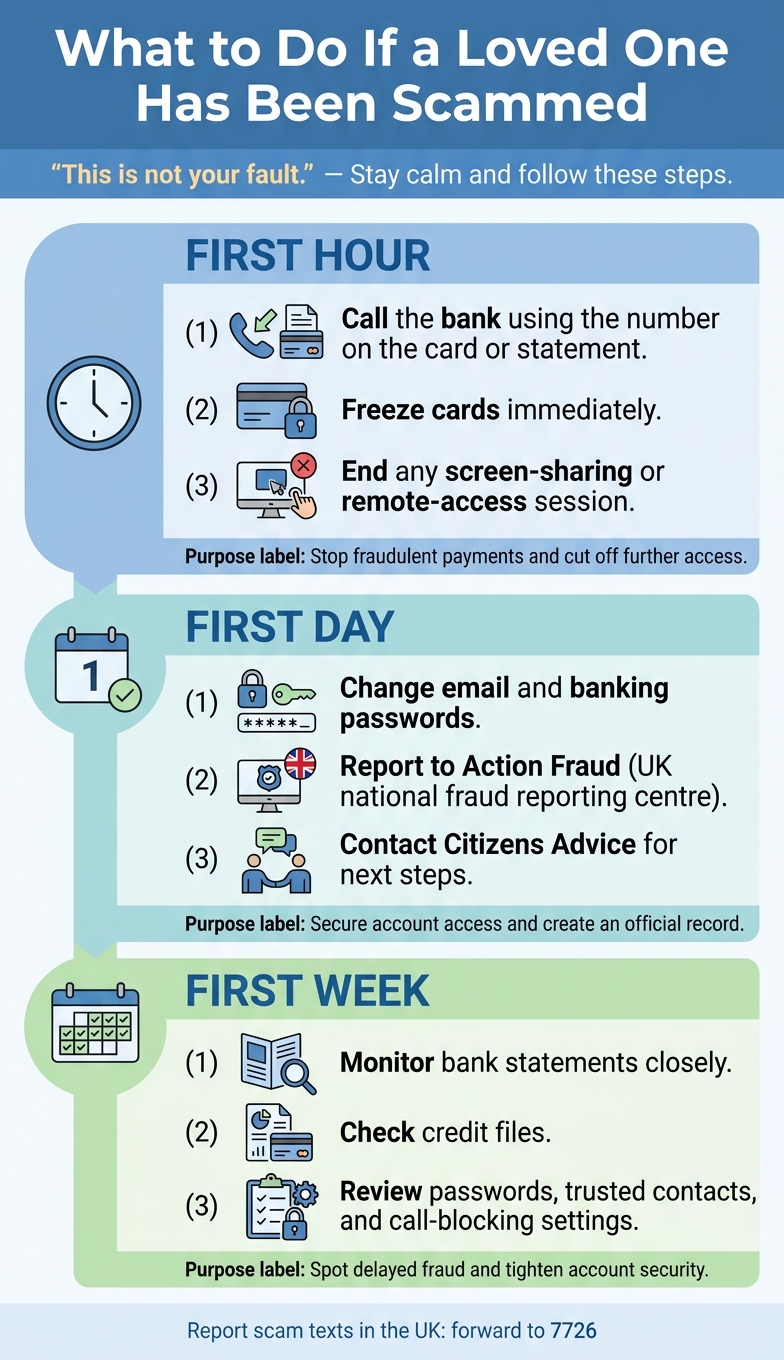
What to Do If a Loved One Has Been Scammed: Step-by-Step Action Plan
If they’ve shared bank details, one-time passcodes, passwords or personal information, say this first: "This is not your fault." Scammers do this all day, every day. What helps now is calm, practical action.
If you’re supporting an older parent, this is often the moment panic sets in. Try to slow things down. One clear step at a time is usually the best way through it.
Contact the bank, report it and secure accounts
Call the bank first. Use the number on the bank card or statement, not any number given by the caller. Ask the bank to freeze the card, stop pending payments, and review recent transactions.
Then report the scam to Action Fraud, the UK’s national reporting centre for fraud and cybercrime. Citizens Advice can help with what to do next and point you to the right support.
If the scammer got access to the phone or computer, end any screen-sharing or remote-access session straight away. Then change passwords for email and banking apps, starting with the main email account. If a scammer gets into email, they can often reset other accounts too.
For families, this is also a good time to tighten phone safety. A simpler setup like Ezefone can help stop more trouble by making key contacts easier to reach and reducing the chance of missed calls, wrong taps, or confusing prompts on an Android phone.
What to do in the first hour, first day and first week
Use this timeline to move fast without feeling all over the place.
Time Frame
Key Actions
Purpose
First hour
Call the bank using the number on the card or statement; freeze cards; end any screen-sharing or remote-control session
Stop fraudulent payments and cut off further access straight away
First day
Change email and banking passwords; report to Action Fraud; contact Citizens Advice
Secure account access and create an official record with UK authorities
First week
Monitor bank statements; check credit files; review passwords, trusted contacts and call-blocking settings
Spot delayed fraud and tighten account security
Conclusion: Keep the rules simple and practise them together
All of this comes down to one thing: give your relative a simple routine they can actually remember. Phone scams aimed at older people in the UK can sound very convincing, but the response doesn’t need to be hard.
Stick to the basics: spot common scam tactics, hang up and verify, save trusted contacts, use a family code word, and act fast if something goes wrong.
Go over the script and code word together. A little practice makes it much easier to follow the plan when a call feels urgent or upsetting. A weekly check-in can help you rehearse the response and talk through any suspicious calls.
A simpler phone setup helps as well. If the phone is easier to use, there’s less chance of accidental taps and less risk of missing calls from trusted contacts. It backs up these habits rather than taking their place.
This isn’t about making someone feel watched or restricted. It’s about helping them stay independent, answer calls with more confidence, and know exactly what to do when something feels off.
Make any Android phone easier and safer with Ezefone
Ezefone turns any Android phone into an easy, safe senior phone in less than 5 minutes. It gives families more peace of mind while helping older loved ones stay confident and in control.
Ezefone is a one-time purchase. Start free, or choose Standard at £7.99 or Family at £34.99. No monthly subscriptions, no hidden fees, and easy family setup.
Banks and official organisations will never ask for your password, PIN, or one-time verification code on a phone call. If someone pressures you, says you must pay at once, or tells you to move money to a “safe account”, hang up straight away.
That kind of pressure is a classic scam tactic. The caller wants panic, because panic makes people act before they think.
If you want to check whether the call is genuine, contact the company yourself. Use the phone number on its official website or the number printed on the back of your bank card. Do not use any number, link, or contact details the caller gives you.
What should I do if my relative already shared details?
Act fast to limit the damage. Contact their bank or financial provider straight away, ask them to freeze the account if needed, and report any suspicious payments. Then change passwords on any affected accounts and turn on two-factor authentication.
If they shared personal details like a passport number or National Insurance number, report possible identity theft to the right authorities as soon as you can. It’s also wise to keep an eye on their credit report and run a full security scan on both their phone and computer.
How often should we review scam safety together?
Try to review scam safety habits together every three to six months. Calm, regular chats usually help more than the odd heavy warning session.
Use these check-ins to:
update your shared verification password
talk through any suspicious calls they’ve had
make sure phone security settings are still turned on
If scam activity starts going up in your area, do a quick informal check-in sooner.