Simple calling for the people you love
Everything you need, nothing you don't
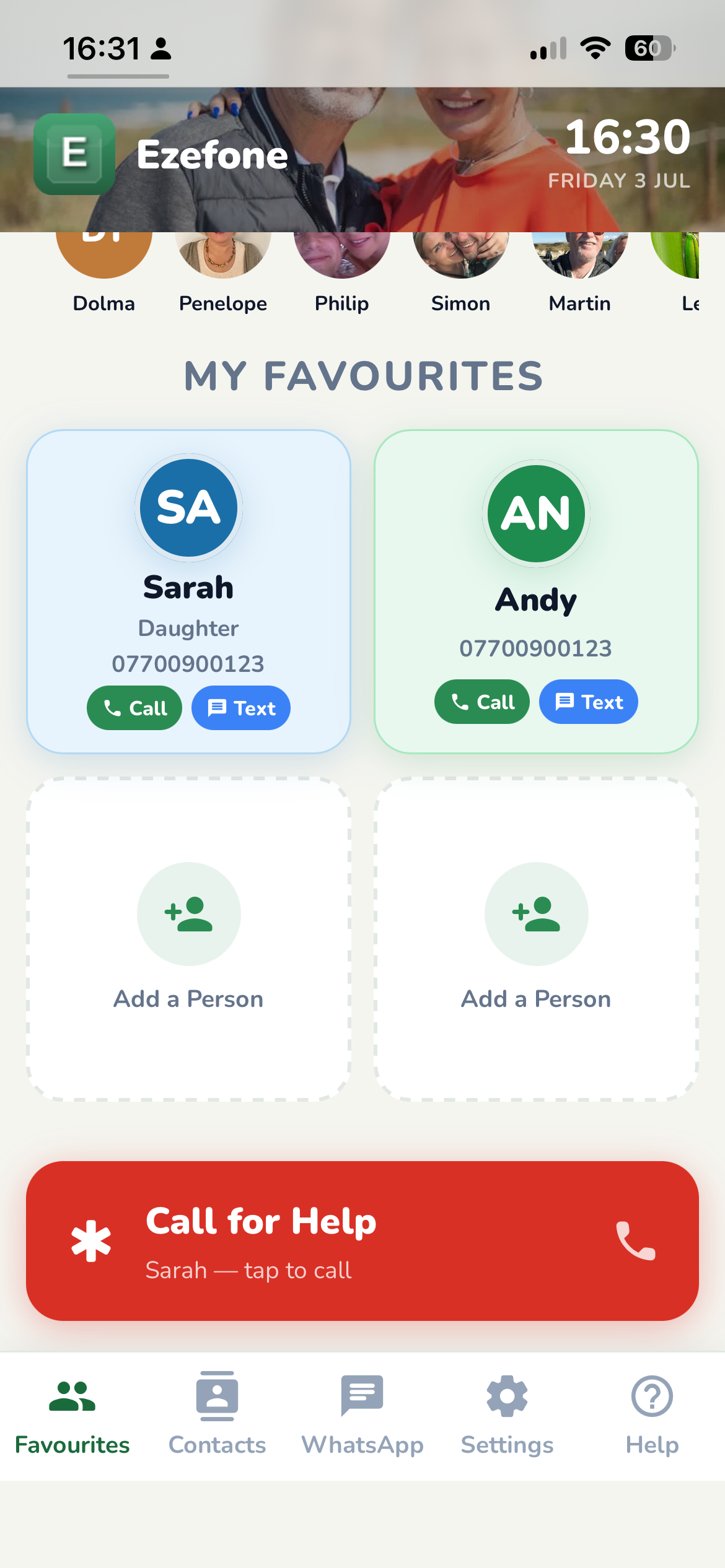
Ezefone strips away the complexity of modern smartphones. One screen, four buttons, total simplicity.
Try it risk-free. Not right for you or your parent? Email us within 14 days for a full refund, no questions asked.
Be one of our first members
Lock in £2.99, once, for life — regular price is £7.99. Once early-adopter spots are gone, this offer disappears for good.
Early Adopter price
One-time payment — no recurring charges
No subscriptions
No hidden fees
Free updates forever
Works on any phone or tablet
Android & iPhone supported
As an early member, you’ll help shape Ezefone with direct feedback — and you’ll never pay more than £2.99, even after we launch fully at £7.99.
Try it risk-free. Not right for you or your parent? Email us within 14 days for a full refund, no questions asked.
Already have Ezefone but not on the Family plan? You can add Medical ID any time for a one-time £3.99 — sign in and look under Settings.
Ezefone is coming to the App Store and Google Play
Both apps are built and with Apple and Google for review. Very soon, giving the people you love a simpler, safer phone will be a single tap from either store — on iPhone and on Android.
Why Ezefone?
See the difference between a typical smartphone and Ezefone
9:41
😕
A typical smartphone
Dozens of apps, notifications, settings. Confusing for anyone just wanting to call a loved one.
✅
Ezefone
Your four favourite people, front and centre. One tap to call. WhatsApp built in. Nothing else to think about.
Designed around simplicity
Everything you need, organized intuitively for easy access
One-tap calling
Call anyone in your contacts with a single tap. No dialling, no confusion.
Your contacts
Add only contacts that you need directly in the app. Add favourites for even faster access.
WhatsApp included
Accessed directly in the app. Video/phone calls, messages - all in one place.
One-tap messaging
Tap Text on any favourite card and Messages opens ready to go — no hunting for numbers.
⭐ Pro Tip
Pin your most-called people as Favourites for instant one-tap access.
Family Safety, built right in
Ezefone isn’t just simple to use — it’s designed to keep the people you love a little safer, too.
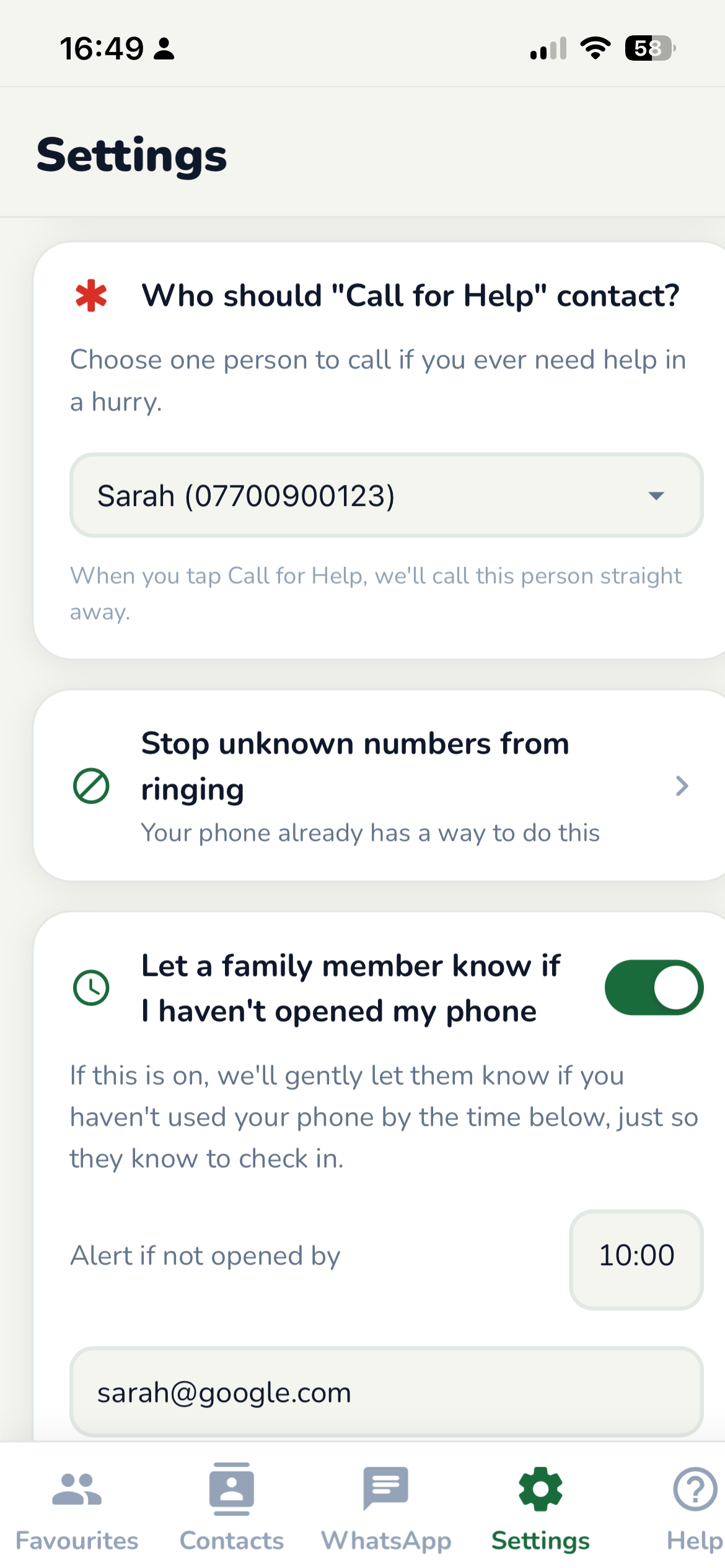
Call for Help
One tap calls the person they trust most, straight away.
A family code word
So if someone calls pretending to be a relative in trouble, there's a simple way to check it's really them.
Daily check-in
A gentle email to you if they haven't opened their phone by mid-morning. Nothing intrusive, just peace of mind.
Nuisance calls
Ezefone guides you through your phone's own settings to silence unknown numbers — so scammers and cold callers simply don't get through.
What people are saying
Real stories from real users
Demo video coming soon
See how easy Ezefone is to use
"I can finally call my grandchildren without asking for help. It's so easy!"
Margaret
Age 74
"I set it up for my mum in 5 minutes. She's been using it independently ever since. Best thing I've done."
David
Son of an Ezefone user
"I was scared of smartphones. Ezefone is different. Big buttons, clear screen - I love it."
Patricia
Age 81
A Journey of Exploration
A Message from Martin, Founder — Ezefone
Questions? We've got answers
Find answers to common questions about Ezefone