Worried About an Elderly Parent Living Alone? Read This
6 September 2026· Assistive Technology
Worried About an Elderly Parent Living Alone? Read This
If your parent lives alone, the phone is often the first thing I would fix. A simpler phone setup can help with missed calls, scam calls, slow check-ins, and getting help fast without taking away independence.
UK data shows why this matters. In 2025, fraud cases reported to Action Fraud were still a major issue, and older people remain common targets for phone and text scams. At the same time, many families say the main problem is not the phone itself, but the confusing layout that gets in the way when stress is high.
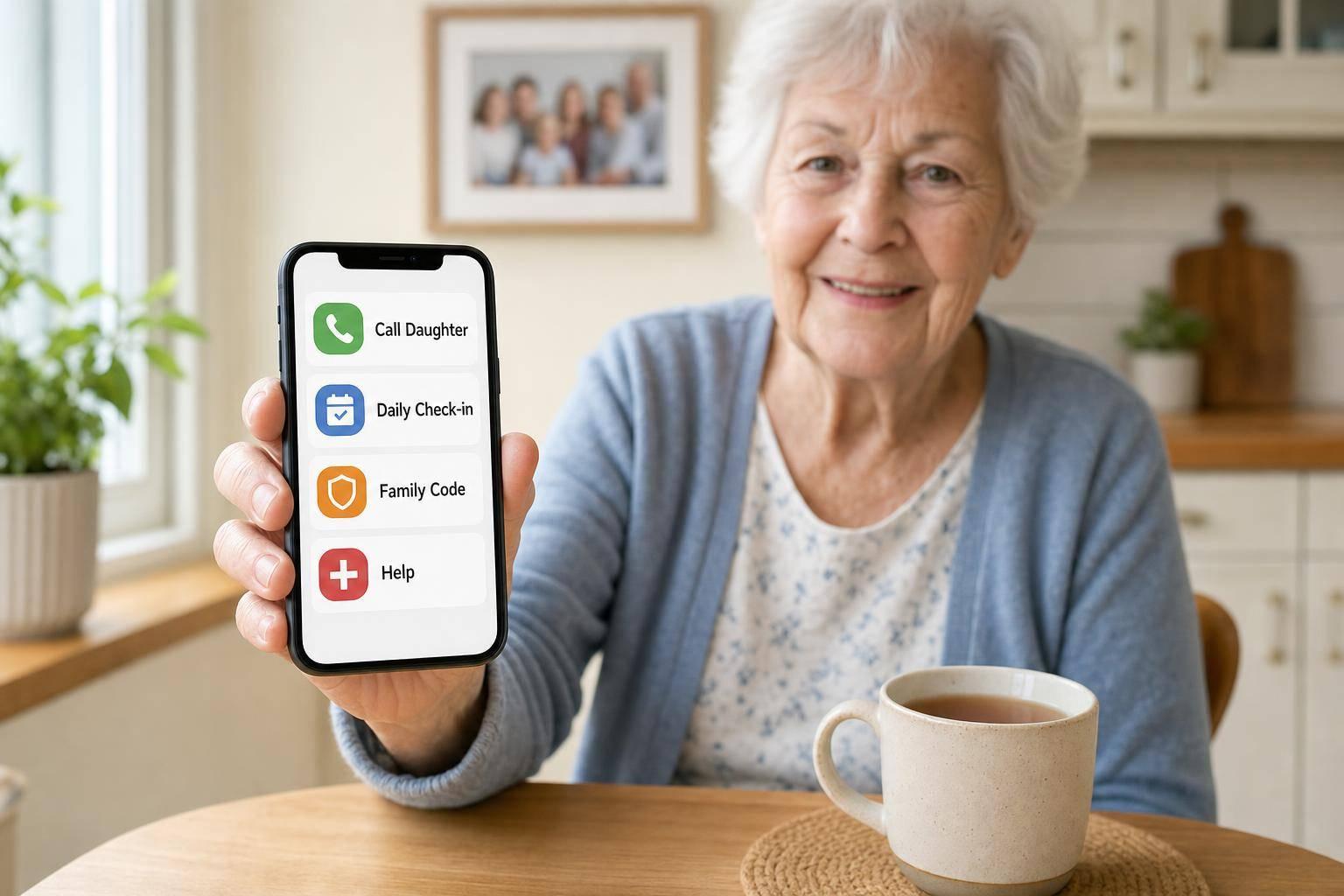
For me, the short version is simple: make the phone calm, clear, and easy to trust. That is where Ezefone fits in. It turns an Android phone into an easier senior phone, so family contact and help sit in one plain view.
Check
Standard phone setup
Simple setup with Ezefone
Calling family
More taps, more menus
One tap from the main screen
Getting help
Need to find the right app or contact
Help button ready to use
Scam safety
Unknown callers can blend in
Trusted contacts are easier to spot
Family peace of mind
Missed calls can mean guesswork
Daily phone use can act as a check-in
If you’re worried about an elderly parent living alone, I’d start there: make the phone easier before anything else.
Call for Help and the Medical ID
sbb-itb-e740053
What Usually Goes Wrong With Standard Phones
Most standard smartphones come loaded with tools many older people never use. That can make the screen feel crowded, harder to read, and harder to trust. If someone mostly wants to call or message family, all that extra stuff just gets in the way.
When calls and messages are buried behind menus and unrelated apps, even simple jobs take more effort than they should. That matters most when a parent needs help fast. Instead of feeling like a lifeline, the phone can become something they put off using.
Too Many Steps To Call The Right Person
One of the biggest problems is having to jump between separate apps for calls, texts, and WhatsApp. Rather than seeing one clear place for contact, the person has to remember where each type of message lives. Fewer taps means less delay when time matters.
If they have to find the right app first, help can come later than it should. Ezefone puts phone, text, WhatsApp and contacts on one screen.
How Phone Confusion Can Delay Help
When a phone feels hard to use, people often avoid it. For an older parent living alone, that can lead to fewer check-ins, missed messages, and slower support.
It also means that if something urgent happens, the phone may take longer to use in the moment. A one-screen setup keeps basic contact in one place and makes fast help easier. Next, the phone tools that matter most are the ones that turn that simplicity into real protection.
Phone Tools That Make Life Safer and Simpler
A few simple phone tools can make day-to-day life feel much less stressful. Once calling is easy, it helps to add a few safety features for those moments when a call is missed or something goes wrong.
One-Tap Calling and Messaging For Favourite Contacts
Start with one clear screen that shows the people who matter most. A parent can tap Daughter, Son, or GP right away, without digging through menus or trying to remember where anything is.
Ezefone keeps favourite contacts one tap away, so family can be reached fast without searching or switching apps. That one change can take a lot of pressure off everyday phone use.
Help Buttons, Emergency Shortcuts, and Daily Check-Ins
When someone is upset, unwell, or confused, extra steps can be the thing that gets in the way. That’s why Ezefone includes a Call For Help shortcut that connects a parent to their main contact straight away.
It also includes daily check-in alerts, which let family know the phone has been used, plus a family code word to help confirm identity during suspicious calls. These tools help lower the risk of a missed emergency when a parent can’t manage a normal call.
Location Sharing and Simple Reassurance Tools
Location sharing can give families a bit more peace of mind when a parent is out and then stops replying. It can also help if they miss a usual call or seem hard to reach.
This works best when it’s used with consent and for a clear reason. In that kind of setup, location sharing supports safety without taking away independence.
How To Cut Scam Calls, Nuisance Calls, and Missed-Emergency Risks
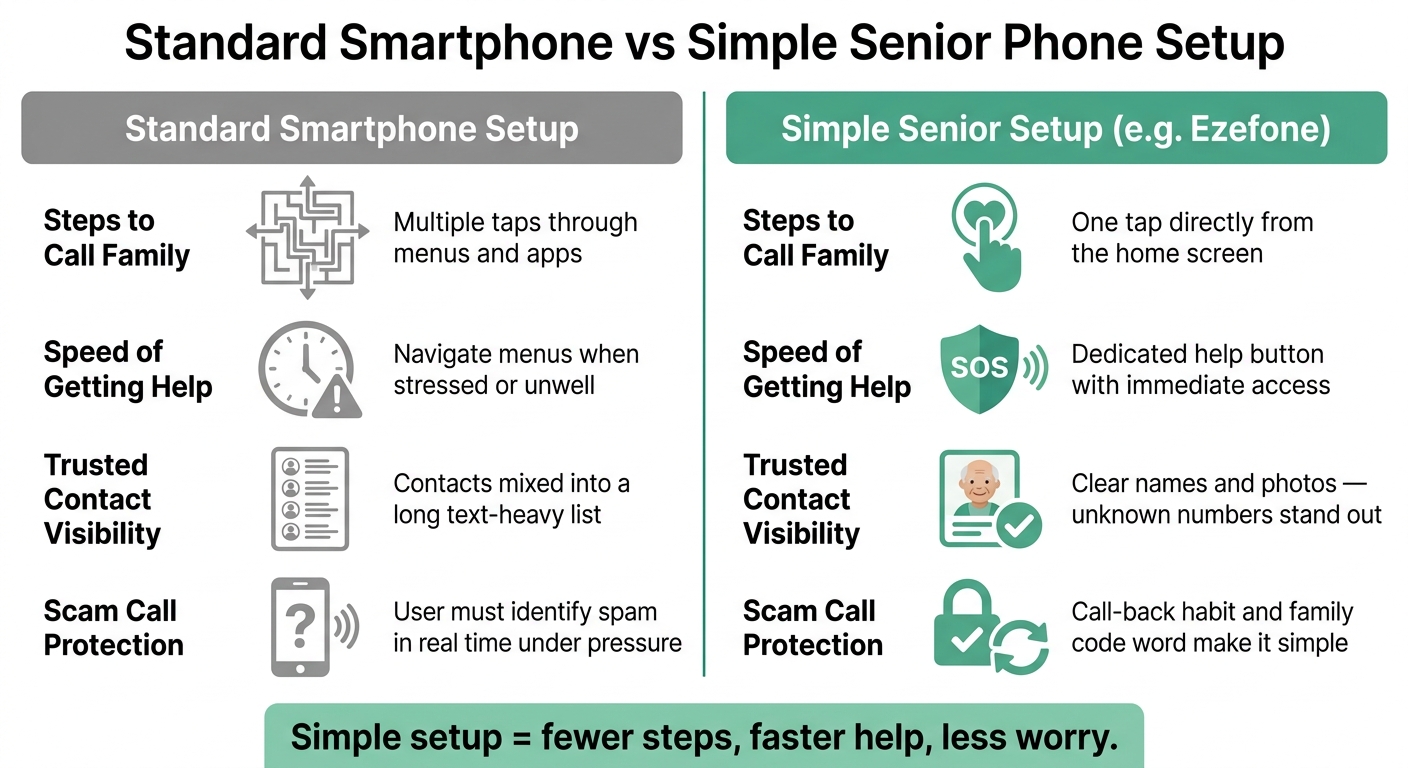
Standard Phone vs Simple Senior Phone Setup: Key Safety Features Compared
Scam calls are a serious worry for older adults who live alone. Once calling and check-ins feel easy, the next job is cutting the risk of fraud. That’s where simple habits, clear contact lists, and a cleaner phone layout can make a big difference.
Blocking Unwanted Calls and Spotting Trusted Contacts
Register both mobile and landline numbers with the Telephone Preference Service (TPS) to reduce sales calls. You can also forward suspicious texts to 7726 to report spam at no cost.
It also helps to make trusted contacts easy to spot. Use clear names and photos so unknown numbers stand out straight away. Ezefone keeps favourite contacts front and centre, which makes it easier to tell whether a caller is someone familiar or not.
Using a Family Code Word and a Simple Call-Back Habit
Use the family code word you’ve already agreed with close relatives to check any urgent request. If someone says they are a family member, bank, or official organisation, hang up and call back using a saved contact.
That small habit can stop a rushed mistake. Instead of deciding on the spot, your parent has a simple rule to follow.
Comparison Table: Standard Smartphone Setup vs a Simple Safety-Focused Setup
Feature
Standard Smartphone Setup
Ezefone-Based Simple Setup
Steps to call family
Multiple steps to reach a contact
One tap directly from the main screen
Speed of getting help
Requires navigating menus
Dedicated help button with immediate access
Visibility of trusted contacts
Mixed into a long, text-heavy contact list
Clear names and photos make unknown numbers stand out
Nuisance-call safety habits
User must identify spam in real time
Makes the call-back habit straightforward
These simple checks lower risk without making the phone harder to use. Once scam risks are lower, the next step is building a weekly routine the family can stick with.
A Simple Plan For Families Who Want More Peace of Mind
After you've cut down scam risk, the next step is simple: make the phone part of an easy weekly routine. That gives your parent a phone they can use with less stress, and it gives the family more peace of mind.
Ezefone is a simple way to do this on any Android phone. It puts the most used people and tools in one clear place, so you can set things up this week instead of putting it off.
What To Set Up First This Week
Start with the people they speak to most. Pick 3 to 5 contacts your parent uses often, such as a son or daughter, a neighbour, and their GP surgery. Add them as favourites and place them on one screen.
Keep calls and messages together on the same screen. That matters more than many people think. It cuts down confusion and helps your parent reach the right person without jumping between apps.
Next, choose a daily check-in time. A short message each day can confirm they are safe and help the family spot problems early.
Then check the family code word. Make sure it is understood, easy to remember, and known by the people who may need it.
Ezefone brings these tools together in one place, making it a practical starting point for any UK family who wants to act this week rather than wait.
Once these basics are in place, the phone often feels easier to use and easier to trust.
Key Takeaways
Simple phone tools can help close the gap between worry and reassurance without taking away independence. One-tap calling, a clear contact layout, a daily check-in, and a family code word are all small changes, but they can make day-to-day life feel calmer. They also make it easier to stay in touch and spot trouble early.
FAQs
How do I make my parent’s phone easier to use?
With Ezefone, you can set up one simple place for contacts, calls and messages, so everyday communication feels much easier to use.
The calling, texting and contact screens are clear and easy to follow. That means your parent or relative can find the right person faster, with less tapping and less confusion.
You can also keep emergency contact shortcuts in that same space. In a stressful moment, they won’t need to dig through menus or search for a number. The help they need is right there, where they expect it to be.
What should I do if my parent falls for a scam call?
Stay calm and help them secure their accounts straight away. Contact their bank or other financial providers to report any unauthorised activity, and freeze cards or accounts if needed.
If they shared passwords or ID details, change them at once and turn on two-factor authentication. Scam-blocking tools can also help cut down nuisance calls in the future.
Most of all, remind them of this: it is always okay to hang up if someone asks for personal or financial details out of the blue. That one habit can stop a lot of harm before it starts.
Is location sharing too intrusive for an elderly parent?
No. Location sharing is a simple safety tool, not an invasion of privacy. When you frame it as a shared check-in feature, it helps families stay connected and gives everyone a bit more peace of mind.
It can also help cut down feelings of isolation and make it easier to step in during an emergency. At the same time, your parent can still keep their independence and stick to their usual daily routine.