Daily Check-Ins: How Families Keep Older Adults Safe
6 September 2026· Assistive Technology
Daily Check-Ins: How Families Keep Older Adults Safe
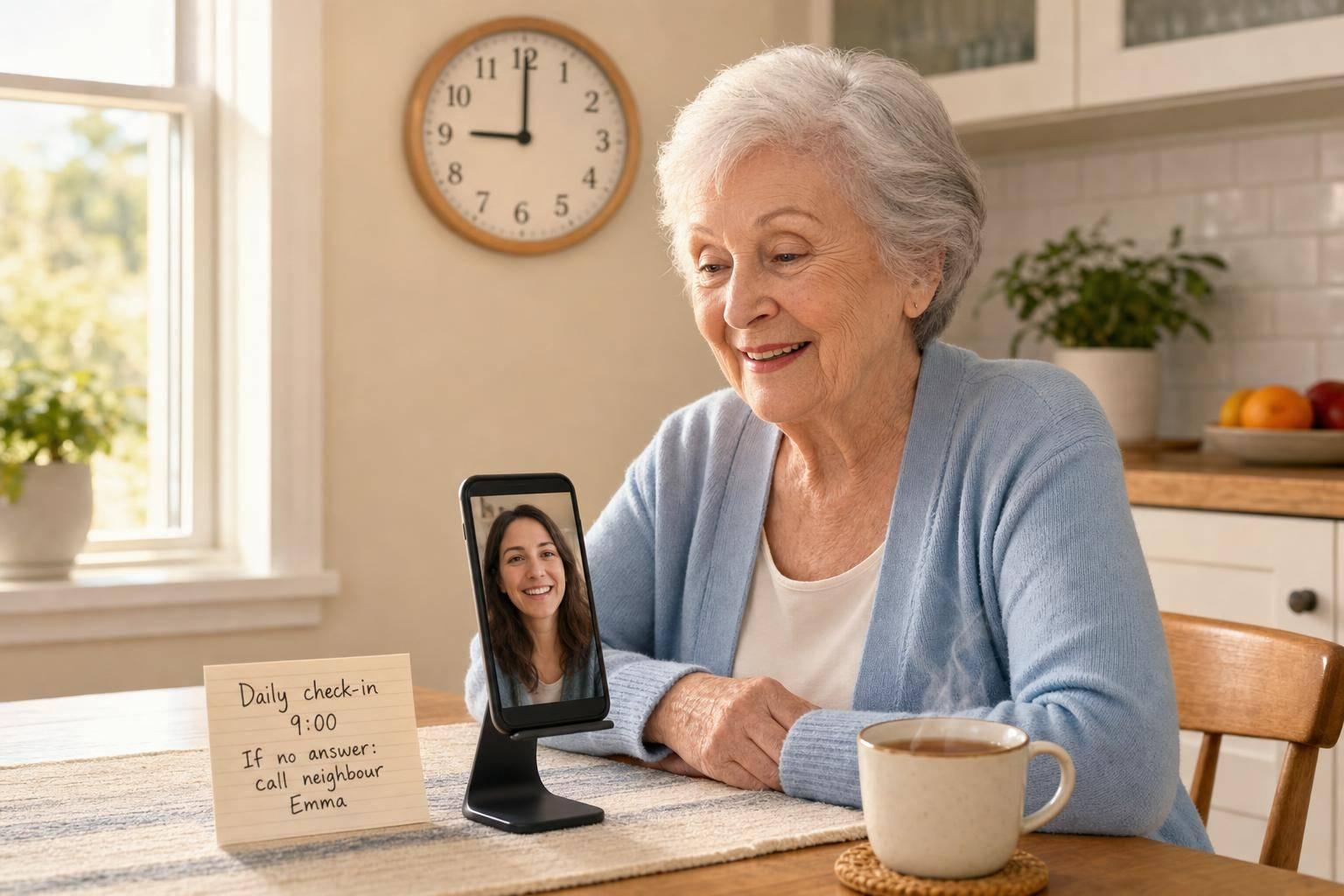
A missed check-in is often the first sign that something is wrong. For many families, one short daily message or call is enough to spot a problem early while still giving an older parent space to live life in their own way.
If I wanted the shortest version of this guide, it would be this:
Pick one check-in time and keep it the same each day
Use the easiest method: phone call, text, or WhatsApp
Agree a clear back-up plan for missed contact
Add reminders or location sharing only if there is a clear reason
Keep the phone simple, so the habit lasts
I’d also keep one fact in mind: around 1 in 3 adults aged 65+ fall each year. A missed morning message does not always mean a fall, of course, but regular contact can help families notice when something is off sooner rather than later.
For families who find standard smartphones hard to use, Ezefone puts calls, texts, WhatsApp, and key contacts in one easy view. That can make a daily check-in much less of a hassle.
What matters most is not the tool. It is the routine. Simple, clear, and easy to keep going usually works best.
Seeing the phone was used today
sbb-itb-e740053
What I’d focus on first
I would keep the plan small and clear:
Time: choose a set time, such as 9.00 am
Method: use one main way to check in
Grace period: decide whether to wait 30 to 60 minutes
Back-up person: name a neighbour or nearby relative
Privacy line: only add extra tracking if there is a clear need
That helps stop panic and confusion if a message does not arrive.
Quick comparison
Method
Best for
Effort
Privacy
Daily phone call
Parents living alone
Low
High
Text or WhatsApp
Low-key daily contact
Low
High
Medication reminder
Daily tablets
Low to medium
Medium
Missed check-in alert
Family back-up
Medium
Medium
Location sharing
Higher-risk trips or wandering concerns
Medium
Low
I’d sum it up like this: start with the lightest touch that still helps your family feel calm. Then add other steps only if they solve a real problem.
My take
A good daily check-in should feel supportive, not watchful. It should give families peace of mind and help older adults keep their independence.
If you want a simpler phone setup, Ezefone turns any Android phone into an easy, safe senior phone in less than 5 minutes.
Ezefone is a one-time purchase. Start free, or choose Standard at £7.99 or Family at £34.99. No monthly subscriptions, no hidden fees, and easy family setup.
Step 1: Agree a check-in routine before choosing tools
Before you download an app or turn on location sharing, sort out the routine first. Agree as a family when contact should happen, who checks in, and how long to wait before doing anything. The aim is simple: make sure the older adult is safe, well, and getting through the day as usual.
A clear routine is far more likely to last than a phone tool nobody feels comfortable using. This is where Ezefone can help too, since it keeps calls, texts, and key apps in one simple view instead of burying them in confusing menus.
Choose a time, format, and grace period
Pick a time that fits the older adult’s usual day, and use a format that feels normal to them. For some families, that’s a short morning text. For others, it’s a regular phone call or a WhatsApp message. What matters most is doing it the same way each day so it feels like part of the routine, not another chore.
Keep the setup simple. One screen for calls, texts and WhatsApp feels familiar and is much easier to keep working.
It also helps to agree, right from the start, who follows up if a check-in is missed and how long the family should wait before acting. That shared plan makes missed contact easier to spot and a lot less muddled when nerves kick in.
Set privacy boundaries from the start
A check-in plan only works if the older adult agrees to it. A daily message is not the same as live location sharing, so start with the least intrusive option that still gives the family enough peace of mind.
Before adding anything else, like location sharing or medication reminders, ask a plain question: does this solve a real problem? If not, it may just add clutter. It also helps to agree who will keep the phone tools working, so a small tech problem doesn’t leave a gap in safety at the worst time.
Once the routine is fixed, choose the simplest tool that fits it.
Step 2: Use simple phone and messaging tools for daily contact
Once you’ve agreed the routine, the next step is to make daily contact as easy as possible. The best system isn’t the fanciest one. It’s the one your parent or older relative will actually use every day, without needing help.
The aim is simple: one small daily sign that they’re safe and getting on with the day.
Ezefone puts calls, texts, WhatsApp, and contacts on one simple screen. For older adults who get lost in standard smartphone menus, that cut in steps can make a big difference.
Add the key family members as favourite contacts on the main screen. That way, calling or sending a message takes one tap instead of hunting through a contact list. The built-in WhatsApp access also means there’s no need to open a separate app, which is a common stumbling block. Families can also turn on daily check-in alerts, so they know when contact has happened.
Ezefone is a one-time purchase: Free costs nothing, Standard is £7.99 and Family is £34.99, with free updates included.
If your family wants something even more stripped back, a fixed daily call or message can work just as well.
Some families do best with the simplest setup of all: a regular phone call or a short WhatsApp message at the same time each day. A quick "All OK" message every morning at 9.00 am is easy for the older adult to send and easy for the family to spot.
A few small tweaks can make this easier:
Voice notes help people who find typing hard on a touchscreen keyboard.
A larger text size in WhatsApp can make messages easier to read.
Speakerphone switched on by default can help with hearing.
A recurring reminder on the phone can prompt the check-in at the same time each day.
Those little changes may sound minor, but they often mean the difference between a system that gets ignored and one that becomes part of the daily routine.
Step 3: Add safety back-ups for missed check-ins and medication
Once the daily check-in habit is set, the next step is simple: add a back-up plan for missed check-ins, forgotten tablets, or no answer. That way, if something slips, the family already knows what to do. It cuts panic and helps everyone stay calm.
Use location sharing only when it genuinely helps
Location sharing is most useful when there’s a clear reason for it. For example, it can help you check that your parent got home safely after a trip to the shops or a longer walk.
It can also help during higher-risk outings, or if wandering is a concern. But this matters: get clear consent first, and keep access to a small group of trusted family members. Avoid round-the-clock tracking unless there is a medical reason for it.
Set medication reminders and missed check-in alerts
A simple phone alarm or calendar reminder at the same time each day can help support a medication routine. It doesn’t need to be fancy to work.
After location sharing, keep the next safety layer just as simple. Agree the response in advance, so nobody is left guessing in the moment. Ezefone's daily check-in feature can send an automatic alert to family members when a check-in is missed.
If a check-in is missed, use this order:
Call first - try a direct phone call straight away.
Wait 30 to 60 minutes, then try again.
Ask a pre-arranged neighbour or nearby relative with a spare key to knock on the door.
Name that person ahead of time and make sure they’re happy to help. A missed check-in then has a calm, clear plan behind it, instead of turning into a stressful scramble.
Choose the best check-in method for your family
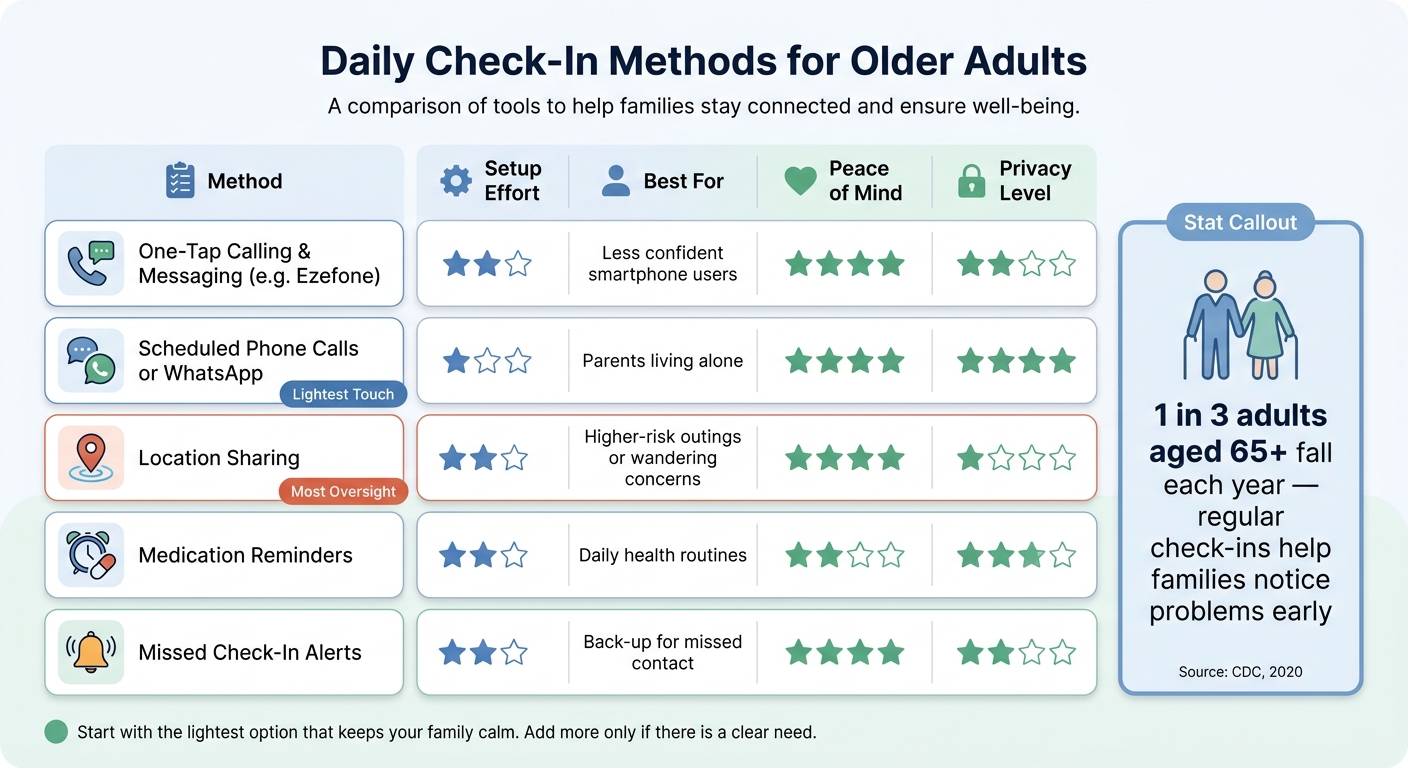
Daily Check-In Methods for Older Adults: Effort, Privacy & Peace of Mind
What works best for common family situations
Once you've agreed the routine and set a back-up, the last step is simple: pick the easiest method that fits day-to-day life.
If your parent lives alone, a daily call at the same time often works well. Add missed check-in alerts as a safety net.
If your parent isn't at ease with smartphones, Ezefone can help cut out the usual hassle. Its one-tap layout makes it easier to call, send a message, or open contacts without digging through menus.
If you want something more low-key and respectful, a short WhatsApp message can do the job without making the routine feel heavy.
Comparison table: calls, messages, reminders, and alerts
Use the table below to match each method to the level of contact, privacy, and support your family needs.
Method
Setup Effort
Best For
Peace of Mind
Privacy Level
Ezefone one-tap calling and messaging
Moderate
Less confident with smartphones
High
Moderate
Scheduled phone calls or WhatsApp
Minimal
Lives alone
High
High
Location sharing
Moderate
Higher-risk outings
Very high
Low
Medication reminders
Moderate
Health routines
Moderate
Moderate
Missed check-in alerts
Moderate
Back-up for missed contact
High
Moderate
Conclusion: Keep the routine simple and easy to maintain
The best method is the one that suits the person, the routine, and the level of support you need. Go for the lightest option the older adult will use each day. A good check-in system should feel respectful and easy to stick with.
FAQs
How do we start a daily check-in routine?
Start with an open, calm chat about check-ins. The goal isn’t to watch over someone every minute. It’s to build a simple routine that feels respectful, easy, and reassuring for everyone involved.
A daily phone call or a quick WhatsApp message is often the best place to start. Pick a time that fits naturally into the day, then stick to it. When the pattern stays the same, the check-in starts to feel less like a task and more like a small, comforting habit.
If extra support would help, keep it simple. Tools like Ezefone, location-sharing, or medication reminders can make day-to-day life easier without adding stress or confusion.
What should we do after a missed check-in?
Stay calm and follow the plan you agreed in advance to check your relative’s safety. Start with the simplest step: call or message them directly.
If they don’t reply, move to another check. That could mean looking at location sharing, or asking a neighbour or nearby family member to pop round.
If you still can’t confirm they’re safe and well, contact local emergency services straight away.
When is location sharing worth using?
Location sharing helps when you need to check an older adult’s safety in the moment, or when a normal routine suddenly changes. It gives families peace of mind without the need for constant calls or messages.
It’s often most helpful when someone may become confused, get lost, or have a health emergency. In those moments, being able to see their location can help family members find them fast, while still supporting the older adult’s dignity and independence.